UniCam
Abstract
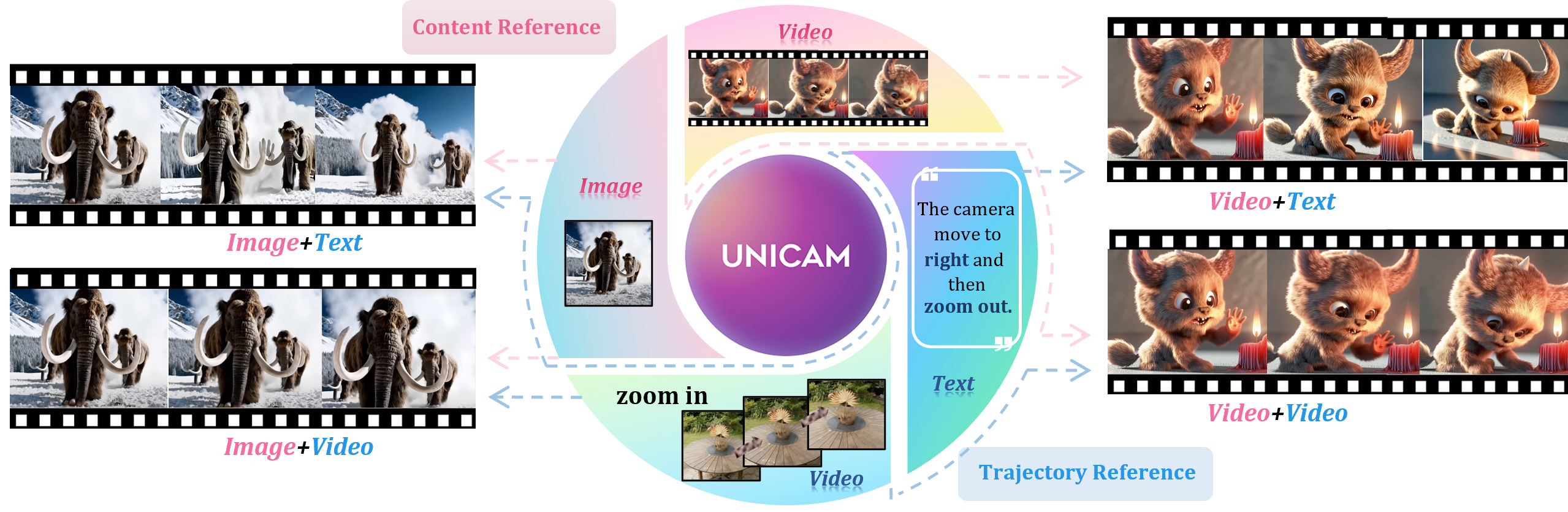
Camera Control, which achieves diverse visual effects by changing camera position and orientation, has attracted widespread attention. However, existing methods face challenges such as complex interaction and limited control capabilities. To address these issues, we present UniCam, a unified multimodal camera control framework. Leveraging large language models and video diffusion models, UniCam generates spatio-temporally consistent videos. It supports various combinations of input modalities: users can provide text or videos with expected trajectories as camera path guidance, and images or videos as content references, enabling precise control over camera motion. To facilitate the training of UniCam, we introduce the OmniTr dataset, which contains a large collection of high-quality long-sequence trajectories, videos, and corresponding descriptions. Experimental results demonstrate that our model achieves state-of-the-art performance in high-quality camera-controlled video generation across various metrics. Our code and demonstrations will be available at this page.
Demo Video
Dynamic — large-scale, large-range motion demonstrations
(For rebuttal)
These three videos are intended to demonstrate large-scale, large-range motion and dynamic scenes (the room example is not dynamic).
Examples of Different Trajectory of UniCam: Text(Trajectory)+Image(Content)
|
First, the camera moves quickly downward. 1 to 2 seconds, it slowly pans to the right. Immediately after, the camera swiftly moves upward-right at a 30-degree angle. 3 to 4 seconds, it slowly pulls back. |
The camera first moves quickly upward. 3 to 4 seconds, it slowly pans to the left. |
0 to 1 second, the camera steadily moves downward at a fast speed. 1 to 2 seconds, it slowly pans to the left. 2 to 3 seconds, it rapidly pushes forward. |
During the first 2 seconds, the camera slowly rises upward. Then, from 2 to 3 seconds, it quickly pushes downward, highlighting an important detail in the frame. |
||||||||||||
|
From 2 to 3 seconds, the camera gently descends, gradually revealing a lower part of the scene. |
Between 0 and 1 second, the camera gently moves upward-right at about a 45-degree angle. Afterward, it swiftly pulls back, gradually expanding the view. Finally, from 2 to 3 seconds, it continues to gently move forward. |
From 0 to 1.3 seconds, the camera rises steadily, showcasing the distant view. From 1.3 to 2 seconds, it slowly turns to the left. From 2 to 3 seconds, it rapidly slides to the right, transitioning the image. |
From 0 to 1 second, the camera quickly moves forward. Then, it slowly rotates counterclockwise. After that, from 1.5 to 2.5 seconds, the camera quickly slides right and upward at a 45-degree angle. |
Examples of Different Image of UniCam: Text(Trajectory)+Image(Content)
|
Input 1 |
Output 1 |
Input 2 |
Output 2 |
||||||||||||
|
From 0 to 1 seconds, the camera rapidly descends. From 1 to 3 seconds, the camera slowly moves to the right. |
|||||||||||||||
UniCam: Video(Trajectory)+Image(Content)
|
Video(Trajectory) 1 |
Output 1 |
Video(Trajectory) 2 |
Output 2 |
||||||||||||
UniCam: Text(Trajectory)+Video(Content)
|
Image(Content) |
Output |
Video(Content) |
Output |
||||||||||||
Compare with other camera motion control models
|
Original image |
CogVideoX |
Runway |
Tongyi |
UniCam |
||||||||||
|
Original image |
CameraCtrl |
MotionMaster |
Hunyuan |
UniCam |
||||||||||
Subject and Camera Joint Motion
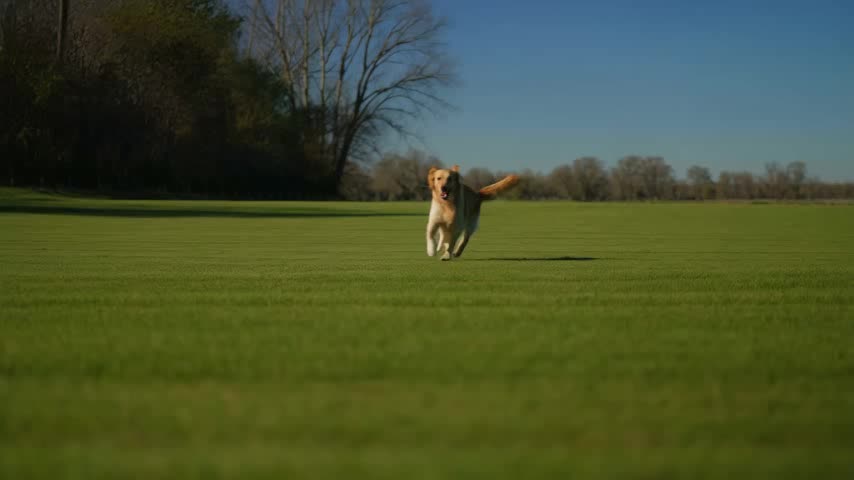
A dog running on the grass, the camera first moves in a slow curve from the left, then the camera slightly turns to the right to capture the running moment.
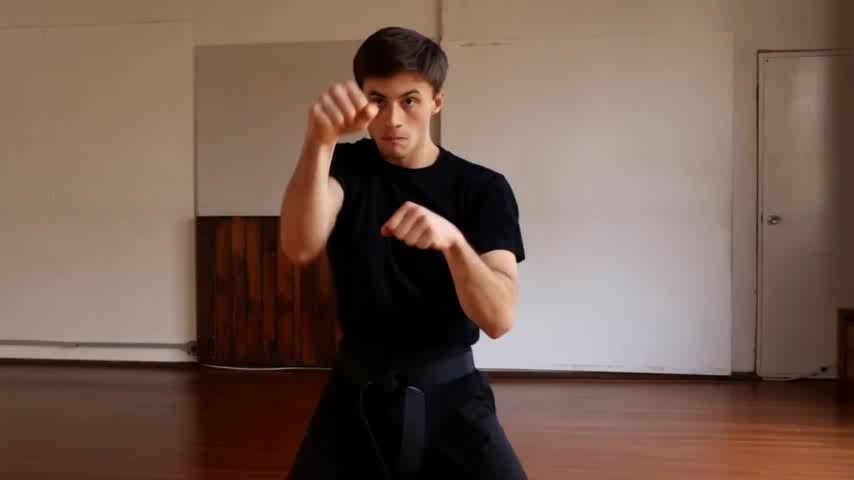
A martial artist performs consecutive punches, the camera first rapidly alternates between up and down panning, then slowly turns the lens to the left to capture the rhythm.
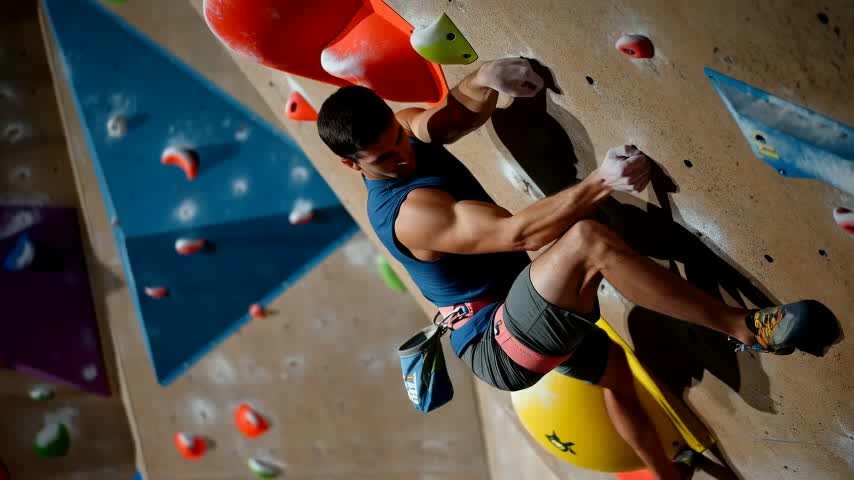
A rock climber climbs upward, the camera first slowly moves around the corner from the right, then the camera slightly turns to the left to capture the climbing details.
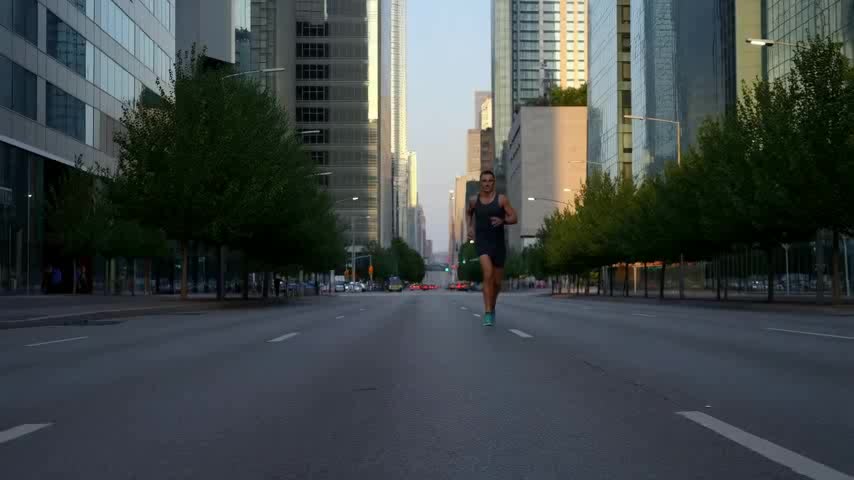
A runner rushes towards the camera, the camera first pans from the right, then slowly tilts back to expand the field of view.
Camera Motion Controllable Text to Video via UniCam
|
Generate an image of a small boat sailing on a lake, from 0 to 1.3 seconds, the camera rises to show distant views. From 1.3 to 2.1 seconds, the camera turns slowly to the left. From 2.1 to 2.8 seconds, the camera slides rapidly to the right. |
Generate an indoor image of a panda plush toy, from 0 to 1.3 seconds, the camera rises to show distant views. From 1.3 to 2 seconds, the camera turns swiftly to the left. From 2 to 3 seconds, the camera slides rapidly to the right. |
Generate an indoor image of a potted plant, from 0 to 1.3 seconds, the camera rises to show distant views. From 1.3 to 2 seconds, the camera turns swiftly to the left. From 2 to 3 seconds, the camera slides rapidly to the right. |
Generate an image of a panda, from 0 to 1.3 seconds, the camera rises to show distant views. From 1.3 to 2 seconds, the camera turns swiftly to the left. From 2 to 3 seconds, the camera slides rapidly to the right. |
Interactive Interface
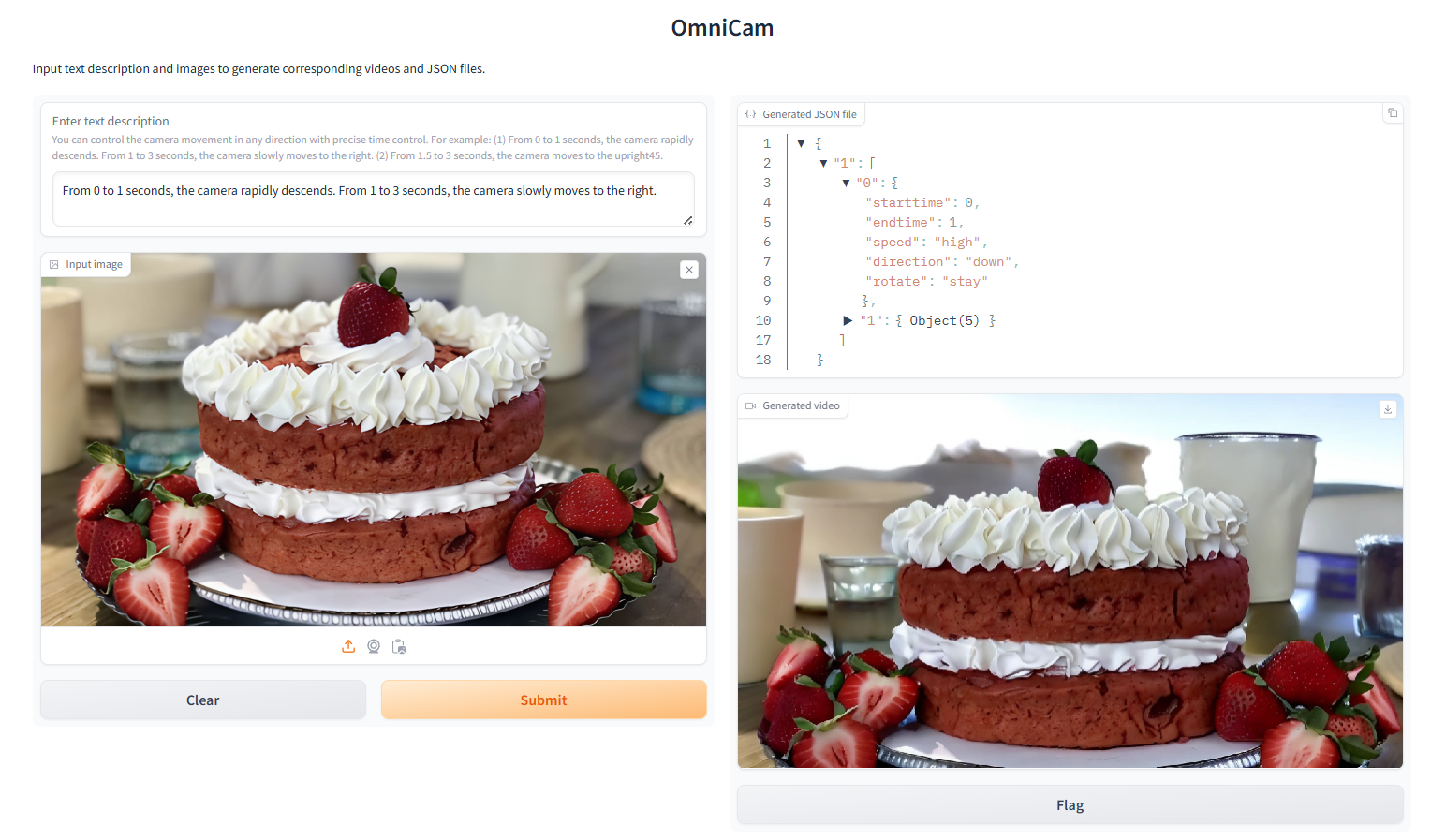
We have created an interactive interface, as shown in the figure, which displays some of the functions.
We borrow the source code of this project page from DreamBooth.